 DriftEngine
Rendering
Fog and weather
Height fog and linear fog, the underwater atmosphere, one wind for the scene, rain that stops under roofs, lightning, and storm debris.
npm install @driftengine/core @driftengine/script
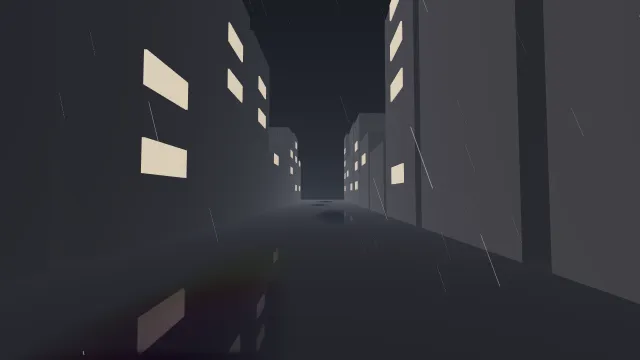
Weather is several effects that must agree with each other: fog thick enough to hide the far end of the street, rain leaning the way the smoke leans, clouds drifting the same way, the ground wet where it rains. The example runs one street through three weathers; switch them in the strip.
Starts examples/weather in this page, on WebGPU where your browser has it.
The weather, in DriftScript
The example's weather is a DriftScript module, and the page draws what it says. The kinds of sky are
an enum, Sky, and a match for each quantity names what each kind does to the fog, the gloom, the
rain and the wind, so a fourth sky does not compile until it has its numbers:
// Each quantity, for each kind of sky. A sky added to `Sky` stops these compiling until it has its
// own numbers.
fn fogFor(kind: Sky) -> f32 {
    return match kind {
        Clear => 0.003
        Rain => 0.012
        Storm => 0.014
    }
}

fn gloomFor(kind: Sky) -> f32 {
    return match kind {
        Clear => 0
        Rain => 0.3
        Storm => 1
    }
}

fn rainFor(kind: Sky) -> f32 {
    return match kind {
        Clear => 0
        Rain => 0.6
        Storm => 1
    }
}

fn windFor(kind: Sky) -> f32 {
    return match kind {
        Clear => 3
        Rain => 3
        Storm => 9
    }
}and once a frame advance eases every quantity toward what the switch asked for, so a storm rolls
in over a few seconds instead of switching on, and the road takes a minute to dry after the rain. It
also decides when lightning strikes, with a gap drawn from drift/random by the number of strikes so
far, so a replay strikes at the same moments.
// One frame of weather. Answers whether lightning strikes on this one.
fn advance(sky: mut Weather, dt: f32) -> bool {
    sky.fog = toward(sky.fog, fogFor(sky.kind), 0.004, dt)
    sky.gloom = toward(sky.gloom, gloomFor(sky.kind), 0.3, dt)
    sky.rain = toward(sky.rain, rainFor(sky.kind), 0.4, dt)
    sky.wind = toward(sky.wind, windFor(sky.kind), 2, dt)
    // The road gets wet in seconds and dries over a minute.
    if sky.rain > 0.05 {
        sky.wetness = toward(sky.wetness, 1, 0.3, dt)
    } else {
        sky.wetness = toward(sky.wetness, 0, 0.02, dt)
    }
    sky.flash = math.max(sky.flash - dt * 4, 0)

    if sky.kind != Sky.Storm {
        return false
    }
    sky.nextStrike = sky.nextStrike - dt
    if sky.nextStrike > 0 {
        return false
    }
    // The gap to the next one comes from how many there have been, so a replay strikes alike.
    sky.strikes = sky.strikes + 1
    sky.nextStrike = random.range(sky.strikes, 2, 7)
    sky.flash = 1
    return true
}/* The script moves the weather on, and says whether lightning strikes this frame. */
const strikes = exported<Advance>(weather, 'advance')(sky, dt);
env.fogDensity = sky.fog;
env.wetness = sky.wetness;
env.fogFar = 110 - sky.gloom * 40;
for (let c = 0; c < 3; c += 1) {
env.fogColor[c] = CLEAR_FOG[c] + (STORM_FOG[c] - CLEAR_FOG[c]) * sky.gloom;
env.ambient[c] = ambient[c] + sky.flash * 0.9;
}
wet.reflectionStrength = 0.7 * sky.wetness;
profile.baseSpeed = sky.wind;
profile.gustSpeed = sky.wind * 0.45;
advanceWindField(wind, profile, time, dt, 1);
heavens.cloudOffsetX = wind.driftX;
heavens.cloudOffsetZ = wind.driftZ;
rain.update(dt, x, y, z, wind.velocityX, wind.velocityZ);
/* How hard it rains is how many of the drops are drawn. */
rain.segments.count = Math.floor(rain.segments.count * sky.rain);
if (strikes) {
const n = sky.strikes;
const bx = (hashToUnit(n) - 0.5) * 12;
const bz = z - 45 - hashToUnit(n + 99) * 20;
bolts.strike(bx, 70, bz, bx + (hashToUnit(n + 7) - 0.5) * 20, 0, bz, n);
}
bolts.update(dt);The page holds the Weather record, writes the switch into kind, and turns the record into fog,
wetness, wind, rain and bolts. Under npm run examples, an edit to weather.drs is patched into
the running page and the sky carries on from where it was; the rest of this chapter is what the page
does with the numbers.
Fog
/** Dense near the ground and thinning with height; or a clear near field and a wall of grey. */
const env = createEnvironment({
  directionalDir: [-0.3, 0.35, -0.6],
  directionalColor: [0.5, 0.48, 0.52],
  ambient: [0.16, 0.18, 0.22],
  ambientGround: [0.06, 0.06, 0.07],
  fogColor: [0.24, 0.26, 0.3],
  fogDensity: 0.003,
  fogHeightFalloff: 0.08,
  fogBaseY: 0,
  fogMode: flag('fog', 'exponential') === 'linear' ? 'linear' : 'exponential',
  fogNear: 12,
  fogFar: 110,
  wetness: 0,
  nightFactor: 1,
  emissiveGain: 1.2,
});Fog is part of the environment, and everything drawn with that environment is fogged by it: meshes,
the sky, lines, plumes, bolts and particles. A translucent draw can opt out with fog: false.
fogDensityis extinction per metre where the fog is thickest, at heightfogBaseY. Small numbers go a long way: the example uses 0.003 for a clear evening, 0.012 for rain and 0.014 for a storm.fogHeightFalloffthins it with height: atythe density isfogDensitytimesexp(-(y - fogBaseY) · fogHeightFalloff). Zero is a uniform medium, right for a room; a value like 0.05 makes a valley hazy and the view from the ridge clear.fogColoris what distant things fade to. Match it to the sky's horizon, or the horizon line shows.fogStartis how far along the view ray the haze begins, in metres; it is 0, at the camera, unless set. Nearer than that the air is perfectly clear, and beyond it the haze is the same extinction, integrated from that point on. A faint, bright fog starting ten metres out hazes a far crowd and leaves the figures in front of the camera sharp, where the same fog from the eye would veil the whole frame. It does nothing in'linear'mode, which hasfogNear.
fogMode: 'linear' is a different look: nothing at all nearer than fogNear, the fog colour
completely at fogFar, and a straight ramp between. It cannot be had from the exponential curve at
any density.
Fog darkens what is behind it; it does not glow where the sun is behind it. For air that scatters light, shafts through it and a glow around a low sun, see Light in the air.
Under water
env.underwater gives the water column its own atmosphere: surfaceY, the color light converges
toward under the surface, a fogDensity for the water, and a transitionDepth over which the camera
crosses smoothly from one to the other. Below the surface the sky is replaced by the water's colour.
The underwaterAtmosphere quality option, on by default, allows it. Water covers the
surface itself.
One wind
/** One wind for everything. It gusts and wanders, and repeats exactly every forty seconds. */
const profile: WindProfile = {
  directionX: 1,
  directionZ: 0.3,
  baseSpeed: 3,
  gustSpeed: 1.5,
  directionWander: 0.3,
  cycleSeconds: 40,
  phase: 0,
};
const wind = createWindField();A WindProfile describes a wind: a prevailing direction, a base speed, gusts on top of it, how far
the direction wanders, and a cycle after which the whole signal repeats exactly. sampleWind(profile, time, out) gives the velocity at a moment. advanceWindField(field, profile, time, dt, driftScale)
does the same and also accumulates driftX and driftZ, the distance the wind has carried
something, which is what clouds and dust need: a wandering direction multiplied by an absolute time
would jump them whenever the direction moved.
Sample it once a frame and pass the same field to everything that moves in it: the rain's
update, the plumes' windX and windZ, the grass in drawScatter, the sky's cloud offset, a light
volume's driftM, and the debris below. A system that samples its own wind is a second wind.
Rain
/** Drops around the viewer, drawn as streaks along their motion. */
const rain = new RainField({
  count: 2400,
  radiusM: 14,
  heightM: 12,
  speedMps: 11,
  streakSec: 0.05,
});
const drops = renderer.createLines(rain.segments.capacity, 'rain');
const RAIN_COLOUR: Vec3 = [0.5, 0.55, 0.62];RainField keeps a box of drops around the viewer and draws each one as a streak along its motion,
which is what rain looks like in a photograph. count drops fill a box radiusM wide and heightM
high; speedMps is the fall speed, about 9 for rain, 2 for drizzle and 14 for hail, and can change
while it runs; streakSec is the shutter time a streak shows.
update(dt, x, y, z, windX, windZ) moves the drops and rebuilds the streaks around the viewer, and
drawLines draws them like any other line batch. Give the field a ground surface and drops land
on it and stop under roofs: a drop with something over it is not drawn. A drop closer than clearM,
one metre by default, is not drawn either, since a camera never holds that in focus.
The drops' positions are a hash of their index, with no clock and no random number, so the same
viewer at the same moment sees the same rain. To rain harder or lighter without rebuilding the field,
draw a share of the segments: set segments.count lower after update.
Wet ground
env.wetness, 0 to 1, darkens and polishes every upward surface, except materials that say they stay
dry. It is a dial, so a scene can let the ground dry slowly after the rain stops.
Wet surfaces covers it, and puddles.
Lightning
/** Arcs from the clouds to the ground, re-drawn many times a second while they live. */
const bolts = new BoltPool({ capacity: 3, nodes: 33, lifeSec: 0.4, jitter: 0.08, restrikeHz: 16 });
const boltBatch = renderer.createBolts(bolts.segments.capacity, 'lightning');BoltPool holds arcs that strike between two points and are re-drawn many times a second while they
live, which is the crackle a smoothly animated line cannot give. nodes is the points along each
arc, a power of two plus one; jitter how far they wander off the straight line, as a share of the
span; restrikeHz how often a live arc takes a new path.
strike(x0, y0, z0, x1, y1, z1, seed, brightness, lifeScale) starts an arc, and the path comes from
seed, never from Math.random, so a replay strikes the same bolts. update(dt) advances the pool
and drawBolts draws its segments with a core colour, an edge colour and a width. Varying
lifeScale per strike makes a volley die like several discharges instead of one switch.
The pool advances; it does not evaluate at a time. Rendering one plan twice at different frame rates,
for a preview and an export, gives two different arcs. For that case, fill BoltSegments yourself
from a seed and an absolute time and hand it to drawBolts.
A bolt is light the eye sees, not light the world receives: the example brightens the ambient for a moment after each strike to make the flash.
Debris in a storm
if (rain.segments.count > 0)
  renderer.drawLines(drops, rain.segments, IDENTITY, camera, env, RAIN_COLOUR, 0.006, 0.7, 0.4);
renderer.drawBolts(
  boltBatch,
  bolts.segments,
  camera,
  env,
  time,
  [1, 1, 1.3],
  [0.45, 0.55, 1],
  0.9,
  3,
);
renderer.drawWindStreaks(debris, camera, wind, time, [0.35, 0.33, 0.3], env);createWindStreaks makes a lattice of wind-borne debris in a box that follows the camera, and
drawWindStreaks(streaks, camera, wind, time, tint, env) draws it only once the wind is strong
enough to be worth seeing: nothing below onsetSpeed, six metres a second by default, full strength
at fullSpeed, eleven. Debris in a breeze is noise; debris in a gale tells the player why their
glide is drifting. Under water, the engine leaves it out.