 DriftEngine
DriftTR
The scene drawn smaller and rebuilt to full size by temporal reconstruction. WebGPU.
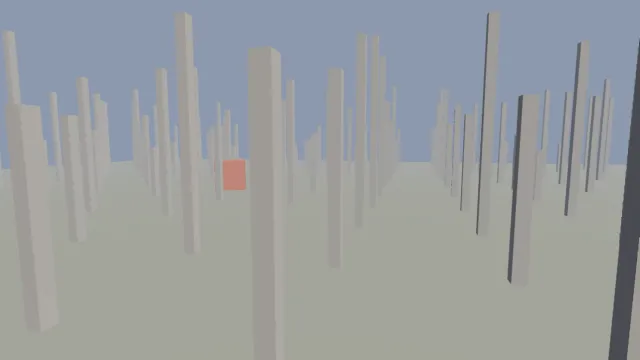
Starts examples/drifttr in this page, on WebGPU where your browser has it.
DriftTR is the chapter that walks through it.
From a checkout of the engine, npm run examples serves it at /drifttr/.
Source
main.ts
examples/drifttr/main.ts
/**
 * A field of columns and a block circling through them, drawn at a fraction of the output size
 * and reconstructed to full size.
 *
 * DriftTR draws the scene smaller, jittered a fraction of a pixel each frame, and a compute pass
 * rebuilds the full picture from this frame and the ones before it. The readout says how many
 * pixels were drawn against how many are shown. WebGPU only; elsewhere the scene draws at full size.
 */
import {
  MeshBuilder,
  SceneNode,
  createEnvironment,
  createMover,
  hashToUnit,
} from '@driftengine/core';
import type { RendererApi } from '@driftengine/core';
import { controls, flag, openScene } from '../common/stage';
import type { SceneHooks } from '../common/stage';

const env = createEnvironment({
  directionalDir: [0.4, 0.7, 0.3],
  directionalColor: [1.6, 1.5, 1.35],
  ambient: [0.22, 0.25, 0.32],
  ambientGround: [0.1, 0.09, 0.08],
  fogColor: [0.55, 0.6, 0.68],
  fogDensity: 0.01,
});
const still = new SceneNode();
still.updateWorld();
const blockNode = new SceneNode();
const readout = document.querySelector('#backend');
let time = 0;
let frame = 0;

/** What one renderer draws: a field of columns, and a block that circles through them. */
function build(renderer: RendererApi, canvas: HTMLCanvasElement): SceneHooks {
  const field = new MeshBuilder();
  field.addBox([0, -0.1, 0], [40, 0.1, 40], [0.36, 0.38, 0.32]);
  for (let x = -30; x <= 30; x += 4)
    for (let z = -30; z <= 30; z += 4) {
      const tall = 2 + hashToUnit(x * 61 + z) * 6;
      field.addBox([x, tall / 2, z], [0.15, tall / 2, 0.15], [0.7, 0.68, 0.64]);
    }
  const fieldMesh = renderer.createMesh(field.build());
  const block = renderer.createMesh(
    new MeshBuilder().addBox([0, 0, 0], [0.8, 0.8, 0.8], [0.85, 0.3, 0.2]).build(),
  );

  // #region mover
  /** One identity per moving object, passed with every draw of it, so its motion can be followed. */
  const blockMover = createMover();
  // #endregion

  return {
    simulate(dt) {
      time += dt;
    },
    render() {
      const { camera } = scene;
      camera.fovYDeg = 55;
      camera.position[0] = Math.sin(time * 0.15) * 6;
      camera.position[1] = 3;
      camera.position[2] = 14;
      camera.lookAt(0, 1.4, 0);

      blockNode.setPosition(Math.cos(time * 0.8) * 7, 1.2, Math.sin(time * 0.8) * 7);
      blockNode.setRotationAxisAngle(0, 1, 0, time * 1.5);
      blockNode.updateWorld();

      renderer.beginFrame([0.55, 0.6, 0.68]);
      renderer.bindMeshPass(camera, env);
      renderer.drawMesh(fieldMesh, still.worldMatrix);
      // #region draw
      renderer.drawMesh(block, blockNode.worldMatrix, 0, null, blockMover);
      // #endregion
      renderer.endFrame();

      frame += 1;
      if (readout !== null && frame % 30 === 0)
        readout.textContent =
          `${renderer.backend}: drawing ${renderer.sceneWidth} × ${renderer.sceneHeight}` +
          ` for ${canvas.width} × ${canvas.height}`;
    },
  };
}

// #region quality
/**
 * How many output pixels each drawn pixel stands for, on each axis; 0 is off. It decides how every
 * target is sized, so the switch builds a new renderer in place.
 */
const quality = (ratio: string) => (backend: string) => ({
  reconstruction: backend === 'webgpu' ? Number(ratio) : 0,
  outputTransform: 'aces' as const,
  directionalShadows: true,
});
const scene = await openScene(quality(flag('ratio', '1.5')), build);
// #endregion

controls([
  {
    key: 'ratio',
    label: 'reconstruction',
    value: flag('ratio', '1.5'),
    options: ['0', '1.3', '1.5', '2'].map((r) => ({ text: r === '0' ? 'off' : r, value: r })),
    change: (value) => scene.rebuild(quality(value)),
  },
]);