 DriftEngine
World-space lines
Strokes with width in metres, an antialiased edge, and a buffer rewritten in place.
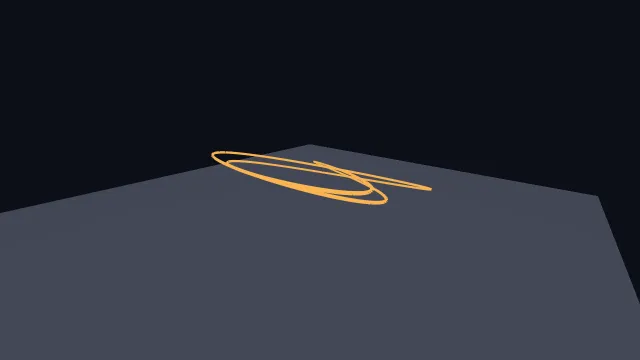
Starts examples/lines in this page, on WebGPU where your browser has it.
Splines, ribbons and lines is the chapter that walks through it.
From a checkout of the engine, npm run examples serves it at /lines/.
Source
main.ts
examples/lines/main.ts
/**
 * Vector drawing in the world: a polyline with real width, thickness in metres, and an
 * antialiased edge the renderer widens for you.
 *
 * This is the shape used for trajectories, debug rays, track centrelines and anything else
 * that is a stroke rather than a surface. Three things make it different from drawing a thin
 * box: the stroke keeps its width in *world* units so it thins with distance; `minWidthPerMetre`
 * is the floor that stops a far segment falling below a pixel and flickering; and `softness`
 * widens the antialiased edge inward, so a stroke can be crisp or feathered without touching
 * the scene's own multisampling.
 *
 * The buffer is allocated once at a fixed capacity and rewritten in place every frame —
 * `setPolyline` writes into arrays that already exist. Nothing here allocates per frame,
 * which is the rule the whole engine is built to.
 */
import { MeshBuilder, SceneNode, createLineSegments, setPolyline } from '@driftengine/core';
import { DAYLIGHT, controls, flagNumber, openStage } from '../common/stage';

/** Both are per-draw values, so the switches change the next frame's stroke. */
let softness = flagNumber('softness', 0);
let width = flagNumber('width', 0.06);

const stage = await openStage({ directionalShadows: true });

controls([
  {
    key: 'softness',
    label: 'softness',
    value: String(softness),
    options: [
      { text: 'crisp', value: '0' },
      { text: 'feathered', value: '0.8' },
    ],
    change: (value) => {
      softness = Number(value);
    },
  },
  {
    key: 'width',
    label: 'width',
    value: String(width),
    options: [
      { text: 'thin', value: '0.03' },
      { text: 'medium', value: '0.06' },
      { text: 'thick', value: '0.12' },
    ],
    change: (value) => {
      width = Number(value);
    },
  },
]);

const slab = new MeshBuilder();
slab.addBox([0, -0.25, 0], [9, 0.25, 9], [0.3, 0.32, 0.38]);
const ground = stage.renderer.createMesh(slab.build());

const still = new SceneNode();
still.updateWorld();

// #region buffer
/** One stroke of 220 segments, allocated once. `capacity` is segments, not points. */
const POINTS = 221;
const segments = createLineSegments(POINTS - 1);
const batch = stage.renderer.createLines(POINTS - 1, 'example-trail');
const path = new Float32Array(POINTS * 3);
// #endregion

stage.camera.position[0] = 6.5;
stage.camera.position[1] = 4.6;
stage.camera.position[2] = 7.5;
stage.camera.lookAt(0, 1.1, 0);

let seconds = 0;

stage.run({
  simulate(dt) {
    seconds += dt;
  },
  render() {
    /*
     * A Lissajous ribbon, rewritten in place. The whole curve moves every frame, which is the
     * demanding case: a trail that only appends would rewrite one segment.
     */
    for (let i = 0; i < POINTS; i += 1) {
      const t = (i / (POINTS - 1)) * Math.PI * 2;
      path[i * 3] = Math.sin(t * 3 + seconds * 0.7) * 3.4;
      path[i * 3 + 1] = 1.4 + Math.sin(t * 2 + seconds * 0.9) * 0.9;
      path[i * 3 + 2] = Math.cos(t * 2 + seconds * 0.5) * 3.4;
    }
    // #region draw
    segments.count = setPolyline(segments, path, POINTS);

    stage.renderer.beginFrame([0.05, 0.06, 0.09]);
    stage.renderer.bindMeshPass(stage.camera, DAYLIGHT);
    stage.renderer.drawMesh(ground, still.worldMatrix);
    stage.renderer.drawLines(
      batch,
      segments,
      still.worldMatrix,
      stage.camera,
      DAYLIGHT,
      [1, 0.72, 0.32],
      width,
      1,
      softness,
      /* The floor: at least two millimetres of half-width per metre away, about a pixel. */
      0.002,
    );
    // #endregion
    stage.renderer.endFrame();
  },
});